How do I open another account?
To add an additional Standard, Zero+, Prime, or MT5 account, follow the below instructions on your preferred device.
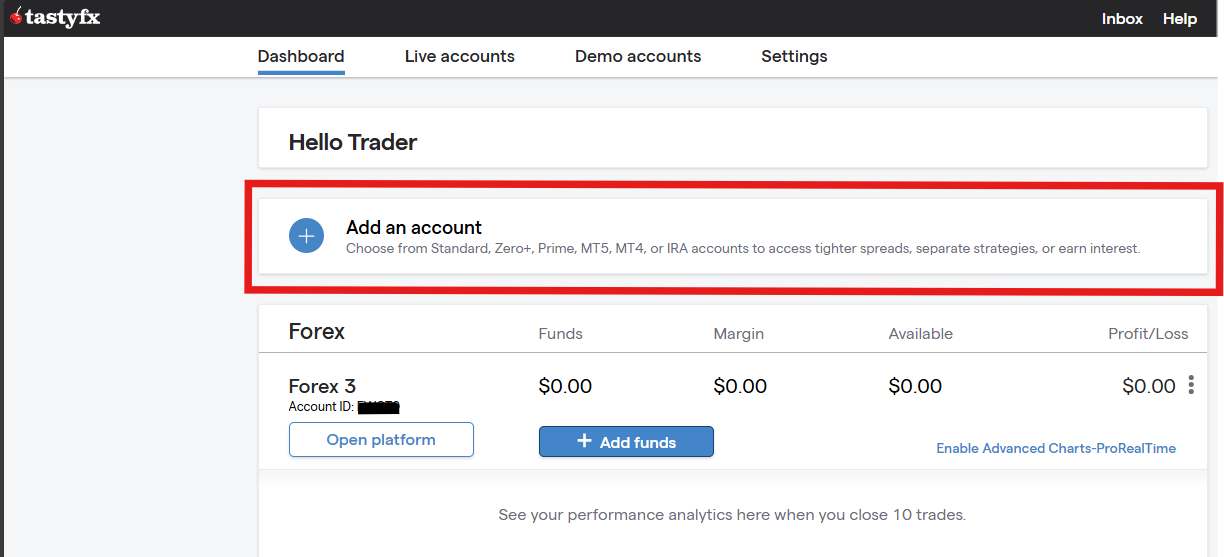
Desktop
- Log into your tastyfx account
- Click the ‘add an account’ button on the Accounts Dashboard and then
- Choose the account type you want from the pop-up and follow the prompts.
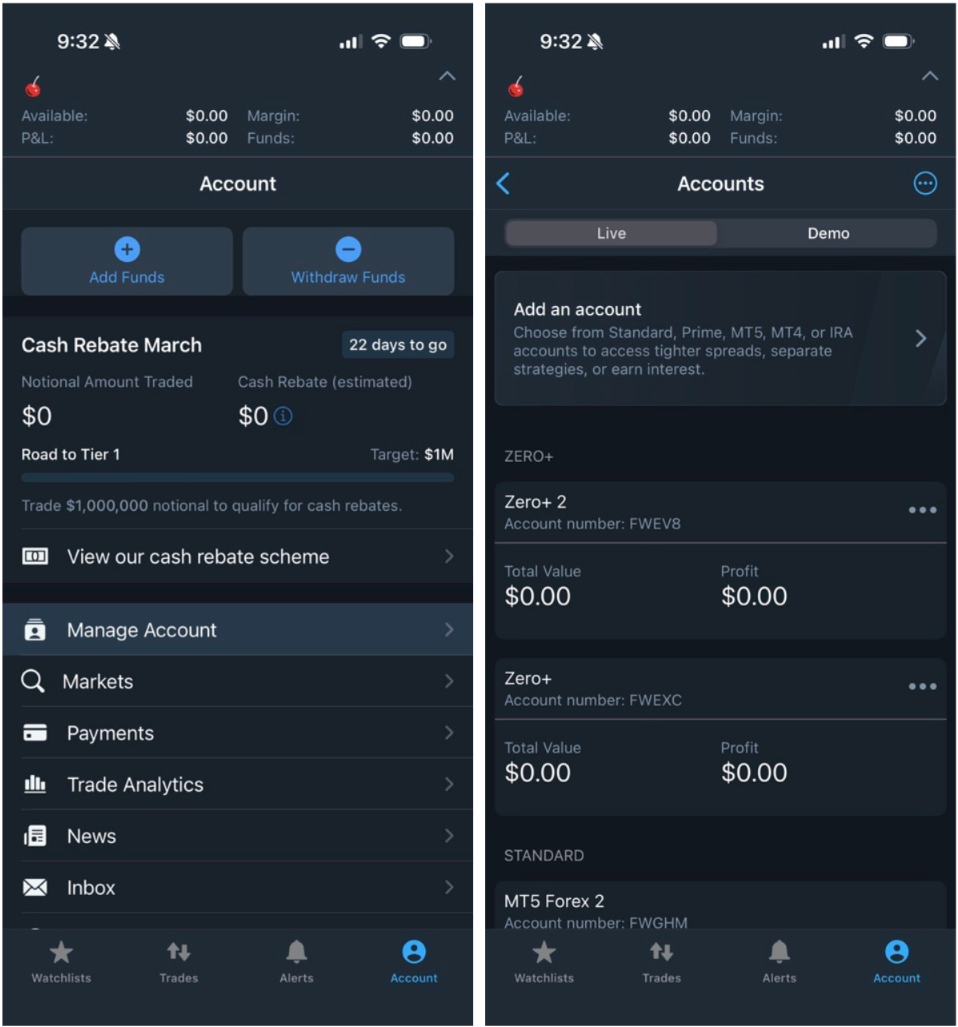
Mobile
- Log into your tastyfx app
- navigate to the Accounts tab
- Select 'Manage Account'
- Click 'Add an account'
- Choose your preferred account type and follow the prompts